The gentle hum of an electric fan is a welcome sound on a warm day, but a persistent clicking noise can quickly turn that comfort into an irritating distraction. If your electric fan has started to develop a rhythmic click or tap, it’s often a sign that something is amiss internally. While sometimes alarming, many causes of a clicking electric fan are straightforward to diagnose and fix, saving you the cost of a replacement. Understanding the root of the problem is the first step to restoring peace and quiet to your space.
Understanding the Clicking Noise: Common Culprits
An electric fan’s clicking can stem from various sources, ranging from minor annoyances to signs of impending wear. The specific sound often provides clues: a consistent click might point to a rotating component, while an irregular one could suggest loose parts. Fans, whether they are ceiling, desk, tower, or pedestal models, all operate on similar principles, making many clicking causes universal, though their manifestation might differ slightly. For instance, a loose blade on a ceiling fan poses a different safety concern than a loose grille on a small desk fan. The key is to approach troubleshooting systematically, starting with the simplest checks.
Loose Components: The Simplest Fixes
One of the most frequent reasons an electric fan begins to click is the presence of loose components. Over time, vibrations from the fan’s operation can cause screws and fittings to loosen, leading to parts rattling against each other.
Loose Blade Screws
The blades of any fan are typically secured to the motor housing or a blade holder with screws. If these screws become even slightly loose, the blades can wobble during rotation, creating a distinct clicking or tapping sound.
- Pros: Easy to diagnose and fix.
- Cons: If ignored, prolonged wobbling can put strain on the motor.
- When to check: As a first step for any clicking fan.
- Solution: Always unplug the fan before touching any internal parts. Use a screwdriver to carefully tighten all screws attaching the blades to their holders and the holders to the motor.
|
Our Picks for the Best electric fan in 2026
As an Amazon Associate I earn from qualifying purchases.
|
||
| Num | Product | Action |
|---|---|---|
| 1 | Amazon Basics Air Circulator Fan, Desk Fan for Bedroom, Home and Office, With 90-Degree Tilt Head, 3 Speed Settings, Lightweight (3 LBS), 35 Watts, Black, 11.1\"W x 6.3\"D x 10.9\"H |

|
| 2 | Lasko 2520 Oscillating Stand Fan,White 16 Inch |
|
| 3 | 10\" Modern Standing Fan for Bedroom, Sleek Oscillating Pedestal Fan, 3-Speed & Height Adjustable Compact Floor Fan for Home Office & Dorm |
|
| 4 | Amazon Basics 20\" High Velocity Industrial Fan, Floor Fan, with 3 Speeds, Tilt Head, ETL-Listed Safety Compliance, Metal Housing/Blades, Ideal for Industrial/Commercial Space/Garage/Gym, 125W, Black |
|
| 5 | LEVOIT Tower Fan for Bedroom, 25ft/s Velocity Standing Fan with 28dB Quiet for Sleep, Remoter, 12H Timer, 5 Speeds, 4 Modes, 90° Oscillation for Home, Office, Indoor, Bladeless 36 inch, White |
|
| 6 | Dreo Fan for Bedroom, 120° Oscillating Standing Fans, Quiet Floor Fan with DC Motor, 100ft Pedestal Fans for Room, 9 Speeds, 4 modes, 20dB, 120° Manual Vertical, 37-42\" Adjustable Height, 9H Timer |
|
| 7 | Dreo Fan for Bedroom, 12 Inches, 70ft Powerful Airflow, 28db Quiet Table Air Circulator Fans for Whole Room, 120° Adjustable Tilt, 3 Speeds, Desktop Fan for Home, Office, Kitchen |
|
| 8 | Amazon Basics 16\" Pedestal Fan with Remote, Floor Fan, Standing Fan for Bedroom, Living Room, Office, with 3 Speeds, 3 Modes, Timer, Dual-Layered Blades, Adjustable Height, Tilt Head, 60W, Black |
|
| 9 | Dreo Tower Fan for Bedroom, 25ft/s Velocity Quiet Floor Fan, 90° Oscillating Fans for Indoors with 4 Speeds, 4 Modes, 8H Timer, Standing Fans, Bladeless Fan, Black, Nomad One (DR-HTF007) |
|
| 10 | Dreo Tower Fan for Bedroom, 90° Oscillating Standing Fans for Room with 4 Speeds, 3 Modes, 28dB Quiet for Sleep, 25ft/s Velocity, 8H Timer, Remote, Living Room, Office, Home, Black |
|
Loose Motor Housing or Grille
The protective grille or the fan’s main housing can also become loose, especially if the fan has been moved frequently or dropped. As the fan operates, these unsecured parts may vibrate and click.
- Pros: Often visible and easy to secure.
- Cons: Can be a consistent, annoying noise.
- When to check: If blade screws are tight but clicking persists.
- Solution: Inspect all screws and clips holding the fan’s front and rear grilles, as well as the main motor housing. Tighten any loose fasteners.
Loose Mounting Hardware
For ceiling fans, the mounting bracket or canopy cover that secures the fan to the ceiling can cause clicking if not installed tightly. This is particularly common after installation or if the fan has experienced prolonged vibration.
- Pros: Essential for safety and noise reduction.
- Cons: May require a ladder and care to access.
- When to check: Specifically for ceiling fans or wall-mounted units.
- Solution: Turn off power at the circuit breaker. Secure the mounting bracket to the ceiling and ensure the canopy cover is tightly fitted against the ceiling.
Blade Issues: Imbalance and Damage
Even if securely fastened, the fan blades themselves can be a source of clicking if they are not perfectly balanced or have suffered damage.
Unbalanced Blades
Blades can become unbalanced due to dust accumulation, slight warping from environmental factors, or minor damage (like a small chip). An unbalanced blade causes the fan to wobble, putting stress on the motor and potentially leading to clicking sounds as it rotates unevenly or brushes against other components.
- Pros: Can often be corrected without replacing parts.
- Cons: May require a balancing kit.
- When to check: If the fan wobbles visually or clicking is rhythmic.
- Solution: Clean blades thoroughly. If wobbling continues, use a fan balancing kit (available at hardware stores) that typically involves small weights you attach to the blades to restore equilibrium.
Misaligned or Warped Blade Arms
The arms that hold the blades to the motor can sometimes bend or become misaligned. This can cause a blade to sit at an incorrect angle, potentially hitting the motor housing or other parts as it spins, resulting in a clicking noise. Warped blades can also be a culprit, leading to similar contact issues.
- Pros: Visual inspection can often reveal the problem.
- Cons: Bending metal requires care to avoid breakage.
- When to check: If a blade appears to be closer to the housing than others.
- Solution: Gently attempt to bend misaligned blade arms back into their correct position, ensuring adequate clearance from the motor housing. For warped plastic blades, replacement might be the only effective solution.
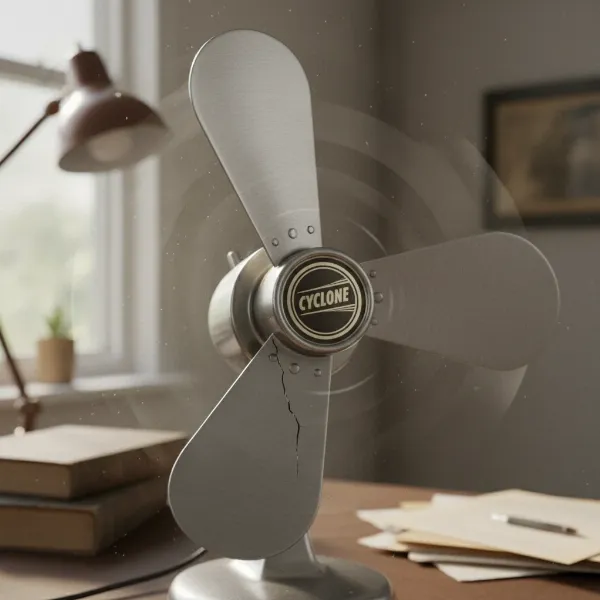 Electric fan blades showing imbalance, causing a clicking noise from wobbling and misalignment
Motor and Bearing Problems
The heart of your electric fan is its motor, which relies on bearings to ensure smooth, low-friction rotation. When these components begin to fail, clicking noises are a common symptom.
Worn-out or Dry Motor Bearings
Bearings allow the motor shaft to spin freely. Over time, these bearings can wear out or lose their lubrication, leading to increased friction. This friction can manifest as a grinding, squeaking, or, yes, a clicking sound.
- Pros: Lubrication can sometimes offer a temporary fix.
- Cons: Often requires professional repair or fan replacement.
- When to check: If the clicking originates from the motor housing itself and is consistent regardless of blade position.
- Solution: If accessible, lubricating the bearings with a few drops of light machine oil might help. Consult your fan’s manual first. If the noise persists, the bearings may need replacement, which often warrants a professional electrician or a new fan, as bearing replacement can be complex.
Dust and Debris in the Motor
Accumulated dust, pet hair, or other small debris can work its way into the motor assembly. This foreign material can interfere with the smooth rotation of internal parts, causing intermittent clicking or scraping sounds.
- Pros: A thorough cleaning can often resolve this.
- Cons: Requires disassembling part of the fan.
- When to check: If the fan has not been cleaned recently and the clicking is irregular.
- Solution: Unplug the fan and carefully open the motor housing (if possible) to clean out any dust or debris. Use compressed air, a soft brush, or a vacuum cleaner with a narrow attachment.
Oscillation Mechanism Troubles (For Oscillating Fans)
Many modern electric fans feature an oscillation function, allowing them to rotate and distribute air across a wider area. This mechanism, typically involving gears, can also be a source of clicking noises.
Worn or Unlubricated Gears
The oscillation mechanism relies on a set of gears (often plastic in newer models) to achieve its rotation. If these gears become worn, stripped, or lack proper lubrication, they can slip or grind, producing a clicking sound as the fan attempts to oscillate.
- Pros: Can sometimes be fixed with lubrication.
- Cons: Worn plastic gears may require part replacement.
- When to check: If the clicking occurs specifically when the oscillation function is engaged.
- Solution: With the fan unplugged, access the oscillation gearbox (usually located at the back of the fan head). Check for any loose screws in the mechanism and tighten them. Apply a small amount of light machine oil to the gears and shaft if they appear dry.
Electrical Concerns
While less common, electrical issues can sometimes cause clicking in an electric fan, especially in models with built-in lighting or complex wiring.
Tapping Wires
In rare cases, particularly with ceiling fans or fans where wiring runs close to moving parts, a loose wire might come into contact with a rotating component, creating a tapping or clicking sound. This can be a serious safety hazard.
- Pros: Identifying it means preventing a potential hazard.
- Cons: Requires extreme caution and potentially professional assistance.
- When to check: If other mechanical fixes fail and you suspect an internal electrical issue.
- Solution: Immediately disconnect power at the circuit breaker. Carefully inspect visible wiring for any signs of contact with moving parts. If you’re unsure or uncomfortable working with electrical components, it is always best to call a licensed electrician.
Troubleshooting Guide: Identifying the Source
Diagnosing the precise cause of an electric fan’s clicking noise requires a systematic approach. This guide can help you narrow down the possibilities based on the symptoms your fan exhibits.
| Symptom | Likely Cause(s) | Initial Action |
|---|---|---|
| Consistent, rhythmic click | Loose blade screws, unbalanced blades, worn bearings | Tighten blade screws, check for blade wobble, listen closely to motor |
| Intermittent, irregular click/rattle | Loose housing, debris, unsecured grilles | Inspect all external parts, clean fan |
| Clicking only when oscillating | Oscillation mechanism gears (worn/dry/loose) | Lubricate oscillation gears, check mechanism screws |
| Clicking from motor, difficult to spin | Worn/dry motor bearings, internal debris | Lubricate bearings (if accessible), clean motor housing |
| Clicking with wobbling | Unbalanced blades, loose mounting (ceiling fans) | Balance blades, secure mounting hardware |
| Clicking with burning smell/power issues | Electrical fault | Immediately unplug fan, call electrician |
Preventive Maintenance for a Quieter Fan
Regular maintenance is crucial not only for the longevity of your electric fan but also for keeping it running quietly. Simple habits can prevent many common clicking issues before they start.
- Regular Cleaning: Dust and dirt are enemies of smooth operation. Regularly wipe down blades and grilles. For internal components, occasional deep cleaning (after unplugging) with compressed air or a soft brush can prevent buildup in the motor and around the shaft.
- Periodic Screw Checks: Make it a habit to periodically check and tighten all visible screws, especially on blade attachments, grilles, and mounting hardware. The vibrations from normal use can cause them to loosen over time.
- Proper Storage: When storing your fan for extended periods, ensure it’s clean and covered to prevent dust accumulation. Store it in a dry place to avoid material warping.
- Lubrication: For fans with accessible lubrication points, follow the manufacturer’s recommendations for oiling motor bearings. Not all fans require or allow this, so consult your manual.
“Many minor fan noises, including clicking, can be easily prevented with consistent, basic maintenance. A clean and properly secured fan is often a quiet fan.” – Jane Doe, HVAC Technician
Choosing a Quieter Fan: Buying Guide
If you’re in the market for a new electric fan and quiet operation is a top priority, consider these factors to minimize the risk of future clicking or excessive noise.
- Motor Type: Fans with DC (Direct Current) motors are generally much quieter and more energy-efficient than traditional AC (Alternating Current) motors. Look for models explicitly advertised as having DC motors.
- Build Quality: Fans made with higher-quality materials and tighter tolerances are less prone to developing loose parts and wobbles. Metal components often offer more stability than flimsy plastic.
- Blade Design: Aerodynamic blade designs can move air more efficiently and with less turbulence, reducing overall noise. Fans with more blades can sometimes achieve desired airflow at lower, quieter speeds.
- Bearing Quality: While hard to ascertain without disassembly, reputable brands often use higher-quality, sealed bearings that are designed for quieter and more durable operation.
- Read Reviews: Always check user reviews for comments on noise levels, especially focusing on long-term performance and any reported clicking or rattling.
When to Call a Professional or Replace Your Fan
While many clicking fan issues are DIY-friendly, some situations warrant professional intervention or even a complete fan replacement.
- Electrical Issues: Any suspicion of exposed wires, burning smells, or sparks requires immediate professional attention. Electrical problems can be dangerous.
- Motor Failure: If lubricating bearings doesn’t resolve motor-related clicking, or if the motor sounds strained and overheats, it often indicates significant internal damage. Professional repair might be costly, sometimes exceeding the value of the fan.
- Persistent Noise After Troubleshooting: If you’ve systematically worked through all the common fixes and the clicking persists, an underlying, more complex issue might be at play.
- Old Age and Wear: Older fans, especially those with many years of heavy use, simply reach the end of their lifespan. Constant clicking, wobbling, or grinding from an aging fan often signals that replacement is the most cost-effective and safest option.
Ultimately, the decision to repair or replace hinges on the severity of the problem, the cost of repair, and the age and value of your fan. For simple fixes, empower yourself with basic tools and a careful approach. For anything beyond your comfort level, don’t hesitate to seek expert help or invest in a new, quieter model.
Maintenance Tips for a Long-Lasting, Silent Fan
Keeping your electric fan running smoothly and quietly for years involves more than just reactive fixes; it requires proactive care. Beyond addressing specific clicking noises, adopting a holistic maintenance routine can drastically extend your fan’s lifespan and preserve its silent operation. Regularly check for any physical damage, such as cracks in the blades or housing, which can escalate into noise issues. Lubricating moving parts like the oscillation mechanism and motor bearings (if your fan’s design allows) with appropriate oil can prevent friction and wear, which are common precursors to clicking and grinding. Ensuring the fan is always placed on a stable, level surface also helps prevent vibrations that can loosen components and introduce unwanted sounds. By integrating these practices, you’re not just fixing problems; you’re investing in the longevity and quiet efficiency of your cooling companion.
Conclusion
A clicking electric fan is more than just an annoyance; it’s your fan telling you it needs attention. From loose screws and unbalanced blades to more intricate motor or oscillation issues, understanding the common causes allows you to diagnose and often resolve the problem yourself. Prioritizing regular cleaning, periodic checks for loose parts, and appropriate lubrication can prevent many of these issues, ensuring your fan remains a source of comfort, not commotion. When considering a new purchase, opting for models with quality components and quiet designs can make a significant difference. Don’t let a small click escalate into a larger problem—take action to restore your electric fan to its quiet, efficient operation. What steps will you take today to quiet your fan?
Frequently Asked Questions
Is a clicking electric fan dangerous?
Not always, but it can be. While often due to minor issues like loose screws or unbalanced blades, a persistent clicking from worn motor bearings or, critically, tapping electrical wires, can pose a safety risk. It’s best to address any unusual noises promptly to prevent potential damage or hazards.
Can I fix a clicking noise in my electric fan myself?
In many cases, yes. Simple fixes like tightening loose screws, cleaning blades, or lubricating an oscillating mechanism can often resolve the issue. However, if the clicking stems from complex motor problems or electrical faults, professional assistance is recommended to ensure safety and proper repair.
How often should I clean my electric fan to prevent noise?
Cleaning frequency depends on usage and environment, but a general guideline is to wipe down blades and grilles monthly. A deeper clean of internal components every few months, or when dust buildup is visible, can prevent debris from causing friction and noise.
What kind of lubricant should I use for my fan’s motor or oscillation mechanism?
For general lubrication, a light machine oil (like 3-in-1 oil or electric motor oil) is typically suitable. Always consult your fan’s user manual for specific recommendations. Avoid using cooking oils or heavy greases, as these can attract more dust and cause sticky residues.
When should I consider replacing my electric fan instead of repairing it?
Consider replacement if the fan is old, if repairs for issues like worn bearings or motor problems are expensive, or if the fan constantly rattles, wobbles, or shows signs of electrical faults even after troubleshooting. Sometimes, a new, more energy-efficient fan with modern features can be a more cost-effective long-term solution.