Experiencing a fan speed control switch that feels unusually warm or even hot to the touch can be concerning. It’s not just a minor annoyance; an overheating switch often signals an underlying electrical issue that demands immediate attention. Understanding Why Your Fan Speed Control Switch Is Getting Hot is the first step toward ensuring your home’s safety and the longevity of your cooling appliances.
This comprehensive guide will delve into the common culprits behind a heated fan switch, outline the potential safety hazards, and provide actionable troubleshooting steps. We’ll also cover essential preventative measures and when it’s crucial to call a professional electrician. By the end, you’ll have the knowledge to diagnose and address this common household problem effectively.
Understanding Fan Speed Control Switches
Fan speed control switches, often called regulators or dimmer switches for fans, are designed to adjust the airflow by varying the power supplied to the fan motor. Unlike a simple on/off switch, these devices contain components, typically resistors or electronic circuitry, that create resistance to control speed. As electrical current flows through these components, some energy is inevitably converted into heat. A slight warmth can be normal, especially at lower settings where the switch dissipates more power. However, “hot” indicates a problem that extends beyond normal operation.
Common Reasons Your Fan Speed Control Switch Gets Hot
When your fan speed control switch goes beyond lukewarm, it’s a clear indicator that something is amiss. Several factors can contribute to excessive heat generation, ranging from electrical overload to component failure. Identifying the specific cause is crucial for a lasting solution.
Overload or Excessive Current
|
Our Picks for the Best electric fan in 2026
As an Amazon Associate I earn from qualifying purchases.
|
||
| Num | Product | Action |
|---|---|---|
| 1 | LEVOIT Tower Fan for Bedroom, 25ft/s Velocity Standing Fan with 28dB Quiet for Sleep, Remoter, 12H Timer, 5 Speeds, 4 Modes, 90° Oscillation for Home, Office, Indoor, Bladeless 36 inch, White |

|
| 2 | Dreo Tower Fan for Bedroom, 25ft/s Velocity Quiet Floor Fan, 90° Oscillating Fans for Indoors with 4 Speeds, 4 Modes, 8H Timer, Standing Fans, Bladeless Fan, Black, Nomad One (DR-HTF007) |
|
| 3 | Dreo Fan for Bedroom, 120° Oscillating Standing Fans, Quiet Floor Fan with DC Motor, 100ft Pedestal Fans for Room, 9 Speeds, 4 modes, 20dB, 120° Manual Vertical, 37-42\" Adjustable Height, 9H Timer |
|
| 4 | Lasko 2520 Oscillating Stand Fan,White 16 Inch |
|
| 5 | Amazon Basics 20\" High Velocity Industrial Fan, Floor Fan, with 3 Speeds, Tilt Head, ETL-Listed Safety Compliance, Metal Housing/Blades, Ideal for Industrial/Commercial Space/Garage/Gym, 125W, Black |
|
| 6 | Amazon Basics 16\" Pedestal Fan with Remote, Floor Fan, Standing Fan for Bedroom, Living Room, Office, with 3 Speeds, 3 Modes, Timer, Dual-Layered Blades, Adjustable Height, Tilt Head, 60W, Black |
|
| 7 | Dreo Fan for Bedroom, 12 Inches, 70ft Powerful Airflow, 28db Quiet Table Air Circulator Fans for Whole Room, 120° Adjustable Tilt, 3 Speeds, Desktop Fan for Home, Office, Kitchen |
|
| 8 | 10\" Modern Standing Fan for Bedroom, Sleek Oscillating Pedestal Fan, 3-Speed & Height Adjustable Compact Floor Fan for Home Office & Dorm |
|
| 9 | Amazon Basics Air Circulator Fan, Desk Fan for Bedroom, Home and Office, With 90-Degree Tilt Head, 3 Speed Settings, Lightweight (3 LBS), 35 Watts, Black, 11.1\"W x 6.3\"D x 10.9\"H |
|
| 10 | Dreo Tower Fan for Bedroom, 90° Oscillating Standing Fans for Room with 4 Speeds, 3 Modes, 28dB Quiet for Sleep, 25ft/s Velocity, 8H Timer, Remote, Living Room, Office, Home, Black |
|
One of the most frequent reasons a fan speed control switch overheats is an electrical overload. This occurs when the fan (or fans, if multiple are connected to one switch) draws more current than the switch is rated to handle. The switch’s internal components struggle to manage the excessive power, leading to a rapid increase in temperature. This disproportionate load current can quickly push the switch past its safe operating limits.
Faulty Wiring or Connections
Loose or corroded wiring connections are significant contributors to heat buildup. A poor connection creates increased electrical resistance, forcing the current to work harder to pass through the circuit. This resistance manifests as heat at the connection point. Over time, these faulty connections can degrade wire insulation, leading to short circuits or even electrical fires. Inspecting the wiring for any signs of damage is a critical troubleshooting step.
Defective Switch Components
Like any electrical component, fan speed control switches have a lifespan and can fail internally. A defect within the switch’s circuitry or mechanics can lead to abnormal resistance, causing it to heat up. This could be due to manufacturing flaws, wear and tear over time, or even a small internal short. An older switch, especially one that has been in service for many years, is more susceptible to such internal failures.
Improper Fan Motor Pairing
Not all fan motors are compatible with all speed control switches. Some switches are designed for specific types of motors or have different minimum/maximum load requirements. If a fan motor’s electrical characteristics don’t match those of the switch, it can cause the switch to work inefficiently, leading to overheating. This is particularly common when dimmers designed for lights are incorrectly used for fan speed control.
Inadequate Ventilation or Heat Dissipation
Electrical components require proper ventilation to dissipate the heat they generate. If a fan speed control switch is installed in an enclosed electrical box with insufficient air circulation, or if it’s packed tightly with other wires, the heat can become trapped. This trapped heat cannot escape, leading to an accumulation that causes the switch to become excessively hot.
Dust and Debris Buildup
Over time, dust, lint, and other debris can accumulate inside the switch mechanism or within the electrical box. This buildup can act as an insulator, preventing the natural dissipation of heat. In some cases, dust can also interfere with the electrical contacts, leading to increased resistance and localized hot spots. Regular cleaning of the switch and its surroundings can prevent this issue.
Age and Wear
As fan speed control switches age, their internal components can degrade, leading to reduced efficiency and increased heat generation. Resistors can weaken, contacts can become pitted, and plastic parts can become brittle. This natural wear and tear means that an older switch is more likely to overheat, even under normal operating conditions. It’s an escalating phenomenon where initial heat accelerates degradation, quickly shortening the switch’s lifespan.
Safety Risks of an Overheating Fan Speed Control Switch
Ignoring an overheating fan speed control switch can have serious consequences. The heat generated is not just uncomfortable; it’s a clear warning sign of potential hazards that can compromise your home’s safety and the functionality of your electrical system.
The primary risk is electrical fire. Prolonged excessive heat can melt wire insulation, damage the electrical box, and ignite nearby combustible materials. If you detect a burning smell or see sparks coming from the switch, it’s an emergency requiring immediate action. Additionally, constant overheating can strain the fan motor and wiring, potentially leading to premature motor failure or damage to the fan’s internal components. This can also escalate to circuit faults or short circuits, which are significant safety concerns for your entire electrical system.
“A hot fan speed control switch is a red flag. It often signifies increased electrical resistance or an overloaded circuit, both of which can lead to severe damage, including electrical fires, if not addressed promptly.” – Electrical Safety Foundation International (ESFI)
Troubleshooting Steps for a Hot Fan Speed Control Switch
When you notice your fan speed control switch getting hot, a systematic approach to troubleshooting can help pinpoint the problem. Always prioritize safety before beginning any inspection or repair.
Safety First: Disconnecting Power
Before you touch any part of the switch or wiring, turn off the power at the circuit breaker that controls the fan. This is non-negotiable for your safety. Confirm the power is off using a non-contact voltage tester.
Inspecting Wiring and Connections
Once the power is off, carefully remove the switch plate. Look for any visible signs of damage:
- Loose wires: Gently tug on each wire connected to the switch to ensure they are firmly seated. Tighten any loose screws or connections.
- Burn marks or melted insulation: These are critical indicators of overheating and faulty connections.
- Corrosion: Green or black discoloration on wires or terminals can indicate poor contact and increased resistance.
- Short circuits: Use a multimeter to check for continuity and shorts between wires, if you are comfortable and knowledgeable in doing so.
Checking Fan Motor Compatibility and Load
Ensure that the fan(s) connected to the switch do not exceed the switch’s maximum amperage rating. This information is usually printed on the switch itself or in the manufacturer’s documentation. If you have multiple fans on one switch, sum their current draws. If the total exceeds the switch’s rating, it’s a clear sign of overload. Sometimes, a faulty capacitor in the fan motor itself can cause the motor to draw excessive current, straining the switch. [cite: 5 (from troubleshooting search)]
Assessing the Switch Itself
If the wiring appears intact and the load is appropriate, the problem might lie within the switch.
- Age: Older switches are more prone to internal failure.
- Type: Ensure you are using a fan speed control switch, not a light dimmer, as their operating principles and load handling differ.
- Internal damage: While you typically cannot repair internal damage, recognizing that the switch itself is the faulty component guides you toward replacement.
Ensuring Proper Ventilation
Check the electrical box where the switch is installed. Is it overcrowded with wires? Is there sufficient space around the switch for air to circulate? If not, trapped heat could be contributing to the problem. Clearing out any dust and debris from around the switch and within the box can also help improve heat dissipation.
When to Call a Professional Electrician
While some basic troubleshooting can be performed by a homeowner, certain situations absolutely warrant calling a qualified electrician.
- Burning smell or visible sparks: If you detect a burning odor or see sparks, immediately cut power to the circuit and contact an electrician. These are signs of a severe electrical fault.
- Persistent overheating: If the switch continues to get hot after you’ve performed basic checks and ensured proper load and connections.
- Uncertainty or discomfort: If you are unsure about any troubleshooting step, uncomfortable working with electricity, or lack the necessary tools (like a multimeter), it’s always best to err on the side of caution and call a professional.
- Complex wiring issues: If you suspect a short circuit or deeper wiring problem within your walls, an electrician has the expertise and equipment to diagnose and fix it safely.
Preventive Measures to Avoid Overheating Switches
Taking proactive steps can help prevent your fan speed control switch from overheating and extend its lifespan.
- Match fan and switch ratings: Always ensure that the fan’s electrical requirements (amperage) do not exceed the maximum rating of your speed control switch. When replacing, buy a switch rated for your fan’s total load.
- Choose quality components: Invest in reputable brands for both fans and speed control switches. High-quality components are generally more durable and less prone to premature failure.
- Ensure adequate ventilation: When installing or inspecting, make sure the switch has enough space within the electrical box for proper heat dissipation. Avoid overcrowding the box with excess wiring.
- Regular cleaning: Periodically clean dust and debris from around the switch plate and, if comfortable and after ensuring power is off, gently from inside the electrical box.
- Professional installation: If you’re installing a new fan or switch, consider hiring a licensed electrician to ensure everything is wired correctly and safely.
Choosing the Right Replacement Fan Speed Control Switch
If your troubleshooting leads to the conclusion that the switch needs replacement, selecting the correct one is vital.
- Match the type: Ensure it’s a dedicated fan speed control switch, not a dimmer for lights, as they operate differently.
- Verify electrical ratings: Check the amperage (A) and wattage (W) ratings of your existing fan and choose a new switch that meets or exceeds these requirements. If multiple fans are on one switch, add their total load.
- Number of speeds: Make sure the new switch offers the same number of speed settings (e.g., 3-speed) as your fan requires.
- Wiring compatibility: Note the wiring configuration (e.g., L, 1, 2, 3) and ensure the replacement switch has compatible terminals. Taking a picture of the old wiring before disconnecting can be very helpful. [cite: 1 (from replacement search), 3 (from replacement search)]
- Brand reputation: Opt for switches from well-known manufacturers to ensure reliability and safety.
Replacing the switch involves turning off power, carefully disconnecting wires (often requiring a small screwdriver to release clips), and then reconnecting the new switch, making sure wires go into the corresponding terminals. [cite: 5 (from replacement search)] If you’re unsure about the process, consult a professional.
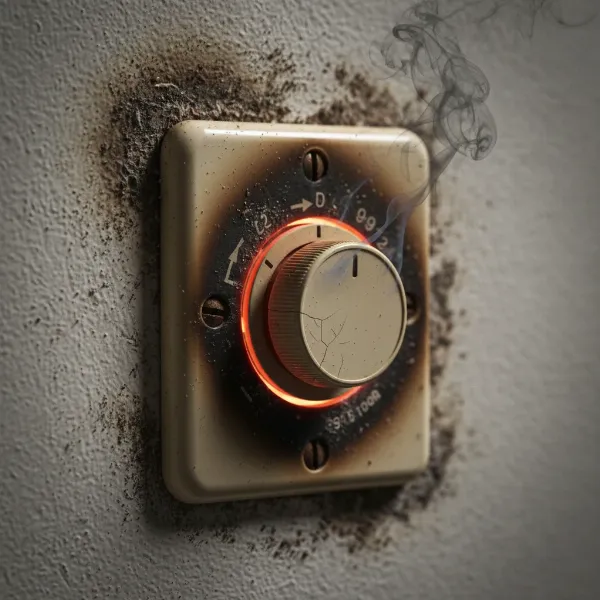 Close-up of a fan speed control switch with visible heat marks, emphasizing the danger of an overheating electric fan component
Conclusion
An overheating fan speed control switch is a problem that should never be ignored. From overloaded circuits and faulty wiring to aging components, various factors can contribute to this hazardous situation. By understanding the causes, recognizing the safety risks, and following proper troubleshooting and preventive measures, you can safeguard your home and ensure the efficient operation of your fans. Remember, while some issues can be addressed with simple DIY fixes, electrical work can be dangerous, and knowing when to call a professional electrician is paramount for your safety and peace of mind.
Don’t let a hot switch turn into a bigger problem. Have you checked your fan speed control switch lately?
Frequently Asked Questions
Is it normal for a fan speed control switch to be warm?
A slight warmth can be normal, especially at lower settings, as the switch converts some electrical energy into heat. However, if the switch feels hot to the touch, or if you detect a burning smell, it indicates an issue that needs immediate attention.
Can a hot fan speed control switch cause a fire?
Yes, an excessively hot fan speed control switch is a significant fire hazard. Prolonged overheating can melt wire insulation, damage components, and ignite nearby combustible materials, potentially leading to an electrical fire.
How do I know if my fan speed control switch is overloaded?
You can determine if your switch is overloaded by checking the amperage rating on the switch and comparing it to the total current draw of the fan(s) connected to it. If the fan’s total current draw exceeds the switch’s rating, it is overloaded.
What tools do I need to replace a fan speed control switch?
Typically, you’ll need basic tools such as screwdrivers (Phillips and flathead), a non-contact voltage tester for safety, and potentially wire strippers. A multimeter can be useful for advanced troubleshooting, but it’s not always necessary for a straightforward replacement.
Can a faulty fan motor make the switch hot?
Yes, a faulty fan motor, particularly one with a bad capacitor, can draw excessive current. This increased load can then cause the fan speed control switch to overheat as it struggles to handle the disproportionate electrical demand.